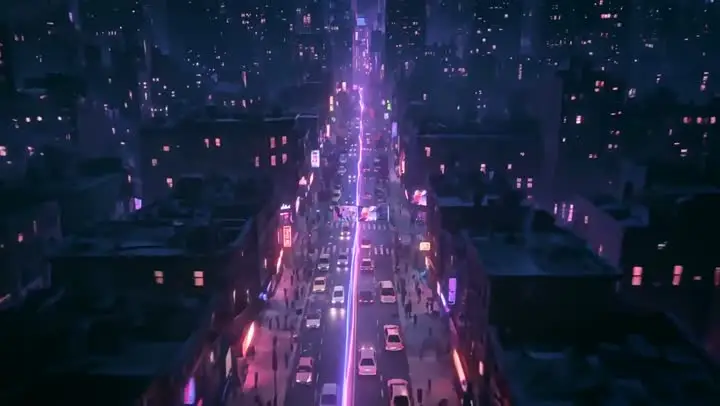
What is an AI B-roll editor?
B-roll is the supporting footage that plays over a voiceover: the street behind a line about city life, the hands on a keyboard behind a line about remote work. An AI B-roll editor does the slow part of B-roll editing for you. You give AgentReel a voiceover script and your raw B-roll clips, and the AI B-roll editor screens every clip, picks the B-roll shot that fits each line and cuts the B-roll to the rhythm of the words. You get one finished MP4 with captions instead of a bin of B-roll footage and an empty timeline.
How can AgentReel cut a B-roll video from hundreds of clips in 20 minutes?
Cutting B-roll by hand is slow because the hard part is search, not editing. For every phrase an editor scrubs through clip after clip to find the right second. AgentReel removes that search. Your browser uploads the clips and draws a strip of frames from each one, so nothing waits on a slow server. The AI reads every clip once, plans the B-roll story line by line, and a fixed assembler cuts each B-roll shot on the 30 fps grid. A script of a few minutes over a few hundred B-roll clips is usually ready in about 20 minutes, most of it upload and render time.
How does the AI choose the right B-roll shot for every line?
Smart footage screening is the core of the B-roll editor. The AI notes what each part of every clip shows, its shot size, how steady the camera is and which scene it belongs to. It then matches B-roll to meaning, not to single keywords, so a line about a busy morning gets moving B-roll of a crowd, not a still of a clock. Shaky, blurry or off-topic B-roll ranks lower. The assembler uses an unused second of B-roll before it repeats one, and a clip never follows itself, so the cut stays fresh from the first second to the last.
Will the B-roll cut look like a professional edit?
Yes, because the B-roll cut follows the rules a human editor uses. You pick a fast, medium or slow pace, with B-roll shots of about 1.5 to 4 seconds. The picture decides where a B-roll shot ends, and every cut lands on a frame. Captions break where a reader expects them, in one of seven caption styles, from a clean outline to a bold rounded look. The result is a high-quality B-roll video that holds attention, ready to post as it is or to polish further in your own editor.
How many B-roll clips can I upload, and in which formats?
As many as you like: there is no limit on the number or size of clips in a B-roll project. Each clip can be an .mp4, .mov or .m4v file, or a photo in .jpg, .png, .webp or .heic that becomes a 4 s B-roll clip with a slow zoom. Before upload, your browser compresses heavy footage such as 4K iPhone video to a light 1080p copy and shows the progress of every file. Uploaded clips are kept until you delete the project, so you can match the script again or render a second B-roll cut without uploading twice. For very large libraries we recommend the free desktop app for Mac and Windows, because the web editor gets slow with very many or very large files.
What kinds of videos is the B-roll editor made for?
The B-roll editor is made for videos that people stop scrolling for: faceless TikTok, Reels and Shorts channels, YouTube explainers and video essays, product launches, travel and lifestyle stories, and Chinese talking-point videos. Fast B-roll with readable captions keeps viewers watching on mute, which is what short-form feeds reward. Export the B-roll video in vertical 9:16 for TikTok, Reels and Shorts, or horizontal 16:9 for YouTube.
Does a B-roll cut include the voiceover and captions?
Yes. An AI voice reads your script, or you can use your own voice recording, and the B-roll shots and captions follow its timing. English scripts are timed by word and Chinese scripts by character, up to about 30 minutes of speech. The captions are burned into the B-roll video, so the file plays the same on every platform. Every phrase in the B-roll timeline lists its shots with the clip name, the source time and the length, so you can check each B-roll choice before you render.
How much does a B-roll cut cost?
Your first B-roll cut is free (a script of up to 8 minutes, any number of clips, and up to 3 AI voices or your own recording); after it, the B-roll editor needs purchased credits, and free credits cover only Z-Image, video templates and Code to Video. Credits are charged step by step: reading clips per batch of 8, matching the script per part, and rendering per minute of video. The B-roll editor shows the credits still needed before you start and asks you to confirm. A failed step is refunded and the work already done is kept, so a retry of a B-roll cut costs only what is left.
Where does the B-roll footage come from?
From you. The AgentReel B-roll editor only uses the B-roll you upload: your own shoots, archive footage or stock B-roll you hold a license for. If your library is missing a shot, generate it with one of the AI video models on AgentReel, download it, and add it to the B-roll project. When no clip fits a phrase, the least used clip stands in so the picture never goes black, and the timeline marks that filler B-roll so you can add better footage and match again.
Do I need video editing experience to use the B-roll editor?
No. If you can write a script and collect footage, you can publish a finished video. There is no timeline to build, no keyframes to set and no export settings to learn. Paste the voiceover, drop in the clips, choose a pace, a caption style and a frame shape, then press render. Editors who already work in Premiere Pro, Final Cut or CapCut use it differently: they let the AI make the first B-roll pass in minutes, then spend their own time on the moments that need taste, such as the opening hook, the music and the final beat.
Can I change the result before I render it?
Yes. Before anything is rendered, the editor shows the whole plan phrase by phrase, so you can read every decision instead of guessing. If a phrase needs a different picture, upload more footage for that idea and match the script again; the clips you already uploaded stay in the project for 7 days, and only the new work is charged. You can also switch the pace, the caption style or the frame shape and render again. Because each step is saved, a long project survives a closed tab or a lost connection, and you continue where you left off.
Can I use AgentReel for free?
Yes. A free account, guests included, can make Z-Image images and video templates with no daily limit, and a signed-in account can also render Code to Video. They are paid from its welcome credits and daily check-in credits, with no card needed. A verified free account can claim 15 check-in credits once a day. Other image models, AI video models, carousels and video ads need purchased credits.
How much does AgentReel cost?
AgentReel uses credits. Credit packs are one-time payments and never expire; subscriptions add credits every month. Any purchase unlocks every model and tool. Prices start at USD 15.99. The full price sheet is on the pricing page.
Which AI models does AgentReel include?
23 image models and 26 video models, among them Veo 3.1, Seedance 2.5, Kling 4.0, Wan 3.0, Gemini Omni Video, MiniMax H3, Grok Imagine, Nano Banana Pro, GPT Image 2.5 and Seedream 5.0. You pick the model for each job and see its credit cost first.
What can I make with AgentReel?
The AI B-roll editor first: paste a voiceover script, upload hundreds of clips, and AI screens the footage, matches a shot to every line and renders a captioned MP4 in 16:9 or 9:16. Also text-to-video and image-to-video clips, AI images, TikTok photo carousels, template videos and AI video ads. Video ads export in vertical 9:16, square 1:1 or horizontal 16:9 at the same price.
Do I own what I make with AgentReel?
Yes. You own what you make, and you are responsible for it. Do not use AgentReel to deceive people, to impersonate someone, or to publish content you do not have the rights to. The Terms of Service set the rules.